What Is the Secret IRCTC Setting to Book Tatkal Tickets Faster?
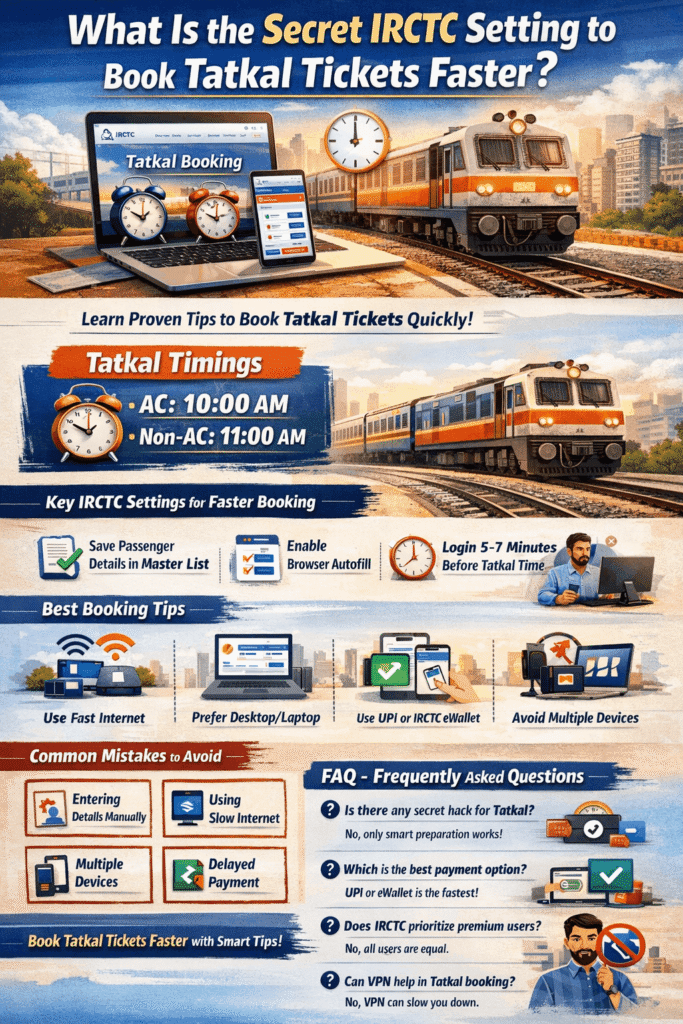
Booking a Tatkal ticket on IRCTC often feels stressful because thousands of users try to book tickets at the same time. Many people believe there is a “secret IRCTC setting” that guarantees success. While there is no official shortcut, there are several smart settings, preparations, and techniques that can significantly increase your chances of booking Tatkal tickets faster.
In this blog, we will explain the best IRCTC settings, practical tips, and proven strategies to help you book Tatkal tickets quickly and smoothly.
What Is Tatkal Ticket Booking?
Tatkal is a special ticket booking scheme introduced by Indian Railways for passengers who need to travel urgently. Tatkal booking opens one day before the journey date:
- AC Classes: 10:00 AM
- Non-AC Classes: 11:00 AM
Due to high demand and limited seats, tickets sell out within seconds. This is why proper preparation is more important than luck.
The Truth About “Secret IRCTC Settings”
There is no hidden or illegal setting provided by IRCTC to book Tatkal tickets faster. However, IRCTC offers certain features and system behaviors that, when used correctly, can save valuable seconds.
The real “secret” lies in:
- Correct IRCTC account setup
- Fast login and autofill preparation
- Payment readiness
- Stable internet connection
Important IRCTC Settings to Enable Before Tatkal Booking
1. Save Passenger Details in Master List
IRCTC allows you to save passenger details in the Master List. This is one of the most important features for fast booking.
Go to: My Account → Master List → Add Passenger
During Tatkal booking, you can select passengers with one click instead of typing details manually.
2. Enable Browser Autofill
Make sure your browser’s autofill feature is enabled. It helps in filling:
- Login credentials
- Captcha suggestions (partial)
- Payment details (if supported)
3. Use One Device Only
Many users try logging in from multiple devices, which may cause session errors. Always use:
- One device
- One browser
- One IRCTC account
This reduces the chance of unexpected logout during booking.
4. Login 5–7 Minutes Before Tatkal Time
Do not log in exactly at 10:00 AM or 11:00 AM. Log in at least 5–7 minutes earlier and stay on the train search page.
Once Tatkal time starts, quickly refresh the page and proceed.
5. Prefer Desktop or Laptop Over Mobile
Although IRCTC mobile apps are convenient, desktop or laptop browsers usually load pages faster and provide better stability during peak traffic.
If using mobile, prefer the official IRCTC Rail Connect app instead of a browser.
Best Internet and System Tips for Faster Booking
- Use a high-speed broadband or 5G connection
- Avoid public Wi-Fi networks
- Close unnecessary browser tabs
- Clear browser cache before booking
Even a delay of 1–2 seconds can result in a waitlisted ticket.
Payment Method: The Real Game Changer
Choosing the right payment method is critical. The fastest options usually are:
- UPI (Recommended)
- IRCTC eWallet
- Saved debit cards
Avoid net banking during Tatkal hours as bank servers can be slow.
Common Mistakes to Avoid During Tatkal Booking
- Entering passenger details manually
- Trying multiple browsers or devices
- Using slow or unstable internet
- Refreshing the page repeatedly
- Waiting to choose a payment method
Final Thoughts
There is no magic “secret IRCTC setting,” but there is a smart way to book Tatkal tickets faster. By preparing your account, saving passenger details, choosing the right payment method, and using a fast internet connection, you can significantly improve your chances.
Tatkal booking is all about speed, accuracy, and preparation. Follow the tips shared in this guide, and your success rate will definitely increase.
FAQ
No. Any website or person claiming secret codes or hacks is misleading. Only proper preparation and official IRCTC features help.
Google Chrome and Mozilla Firefox are widely preferred due to better speed and stability.
No. All users have equal priority. Booking speed depends only on system response and user readiness.
IRCTC agents are not allowed to book Tatkal tickets during the first 30 minutes. Individual users get priority.
No. VPNs often slow down internet speed and may lead to login issues.