UTS App Is Closed: What Are the New Alternatives for Unreserved Train Tickets?
If you regularly travel by Indian Railways, you may have heard that the UTS app is being discontinued. This has created confusion among passengers who used the app to book unreserved train tickets, platform tickets and season tickets from their mobile phones.
The UTS app was widely used because passengers could purchase unreserved tickets without standing in a long queue at the railway station. With the change in the railway’s digital ticketing system, many passengers are now wondering what they should use instead.
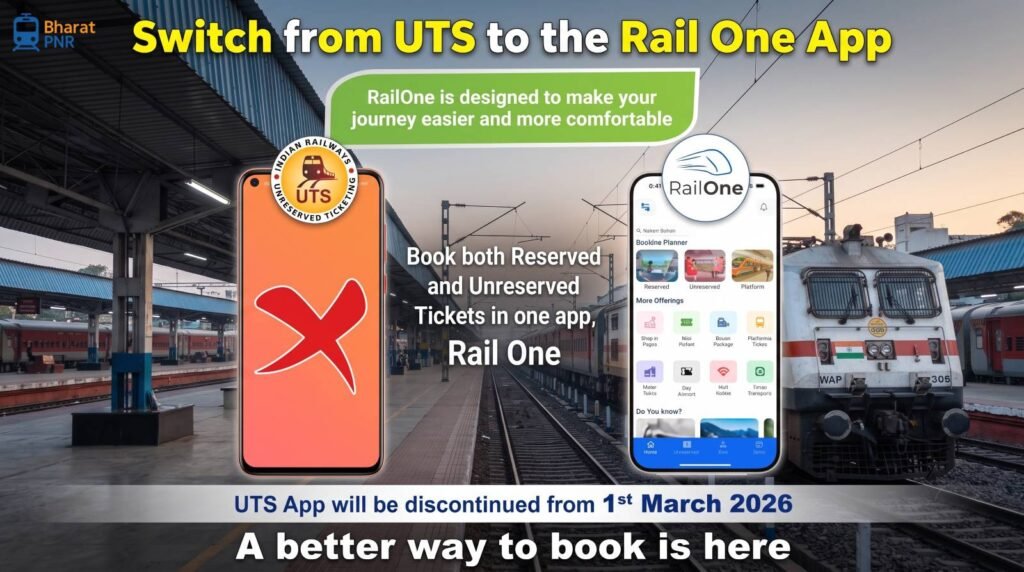
The good news is that passengers still have options for booking unreserved train tickets. Indian Railways has been moving unreserved ticketing services to the RailOne app, which brings several railway services together in one application.
In this guide, we will explain what happened to the UTS app, which app you can use now, how to book an unreserved ticket, what happens to existing UTS users, and other important questions passengers may have.
If you are travelling on a reserved train ticket and want to check your current booking status, you can also use our PNR Status Check tool.
What Happened to the UTS App?
The UTS on Mobile app was used by passengers for several unreserved railway ticketing services. It allowed users to book journey tickets, season tickets and platform tickets using their smartphones.
Indian Railways has been shifting these services to the RailOne mobile application. The idea is to provide passengers with a single digital platform for multiple railway-related services instead of requiring separate applications.
This means passengers who previously depended on UTS should become familiar with the new platform for unreserved ticketing services.
What Is the New Alternative to the UTS App?
The main alternative is the RailOne app.
RailOne is designed as an integrated railway application where passengers can access different services from one place. Depending on the services currently available, passengers can use the app for activities such as ticket booking, checking train information and other railway-related requirements.
For passengers who previously used UTS for unreserved tickets, RailOne is the key app to check for the new digital ticketing process.
Can I Book an Unreserved Train Ticket Through RailOne?
Yes. The RailOne app is intended to provide unreserved ticketing functionality that was previously available through UTS.
The exact options shown to you can depend on the latest version of the app and the services supported for your journey.
Passengers should download the official RailOne app from the authorised app store and avoid unofficial APK files or websites claiming to provide railway ticketing services.
How to Book an Unreserved Train Ticket Using the New App?
The process is designed to be simple for passengers who are already familiar with mobile railway ticketing.
Step 1: Install the RailOne App
Download the official RailOne app on your Android or iOS smartphone from the relevant official app store.
Before installing, check the app name and developer information carefully to make sure you are using the genuine railway application.
Step 2: Register or Log In
Open the app and log in using your railway account details. If you are a new user, follow the registration process shown in the application.
Keep your registered mobile number available because it may be required for account verification.
Step 3: Select the Unreserved Ticket Option
After logging in, look for the option related to unreserved ticket booking.
The location or name of the option can change as the app is updated, so follow the current menu shown in the latest version.
Step 4: Enter Your Journey Details
Enter your source station, destination station and other required journey information.
Make sure that you select the correct stations because an unreserved ticket is issued for the journey details you provide.
Step 5: Select the Train or Journey Option
Depending on the journey, the application will show the relevant available options.
Check the train, route, class and other details before proceeding with the booking.
Step 6: Make the Payment
Choose one of the available digital payment methods and complete the transaction.
After successful payment, keep the digital ticket available on your phone. Do not delete the ticket information until your journey is completed.
Step 7: Show the Ticket During Travel
If railway staff ask for your ticket during the journey, open the valid digital ticket in the official application and show it as required.
It is also sensible to keep your phone charged before starting the journey.
Can I Still Buy an Unreserved Ticket at the Railway Station?
Yes. The availability of mobile ticketing does not mean that passengers who do not use smartphones are automatically left without an option.
Passengers can continue to use the applicable railway ticket counters or other authorised ticketing facilities available at stations.
If you are unable to use the mobile app, you can visit the appropriate unreserved ticket counter and purchase your ticket according to the railway’s current procedure.
What Is an Unreserved Train Ticket?
An unreserved ticket allows a passenger to travel without a specific reserved seat or berth.
These tickets are commonly used for short-distance and general travel where passengers do not need a reserved sleeping berth or a specific seat.
Because the ticket does not guarantee a particular seat or berth, passengers should be prepared for the possibility of standing or finding an available seat in the permitted coach.
What Is the Difference Between a Reserved and Unreserved Ticket?
The biggest difference is whether a specific seat or berth is assigned to the passenger.
| Feature | Reserved Ticket | Unreserved Ticket |
|---|---|---|
| Specific seat/berth | Usually assigned | Not assigned |
| Common use | Long-distance journeys | Short-distance/general travel |
| Reservation status | Confirmed/RAC/WL may apply | No reserved berth |
| Booking method | Reserved ticketing channels | Unreserved ticketing channels/counters |
Can I Book a Platform Ticket Through the New App?
Platform ticketing is another service that was associated with the digital unreserved ticketing system.
The RailOne platform is intended to bring multiple railway services together, including digital ticketing services. Passengers should check the latest version of the official app to see which platform-ticket options are currently available at their station.
If the digital option is unavailable for your station or situation, you can use the railway’s authorised station ticketing facility.
What About Season Tickets?
Season tickets are commonly used by passengers who travel regularly between the same stations, such as daily commuters.
The railway’s digital ticketing services are being integrated into the newer RailOne ecosystem. Existing and new season-ticket users should check the latest options available in the official application and follow the current renewal or booking process.
Do I Need to Carry a Printed Ticket?
For a valid digital unreserved ticket, passengers generally use the electronic ticket displayed through the authorised mobile ticketing service.
However, passengers should follow the instructions shown with their ticket and comply with railway ticket-checking requirements.
Keep your phone charged and make sure the ticket can be displayed when required.
What If My Phone Battery Dies?
This is one of the main disadvantages of depending completely on a mobile ticket.
If your ticket is stored digitally, make sure your phone has enough battery before starting your journey. Carrying a power bank can be useful for longer trips.
Do not assume that a screenshot will always be accepted as a valid ticket. Follow the ticketing system’s instructions and keep access to the original digital ticket whenever possible.
Can I Check My Train Status Without UTS?
Yes. UTS was mainly associated with unreserved ticketing, so its closure does not mean that passengers lose access to train information or reserved-ticket status.
If you have a reserved railway ticket and want to know whether it is confirmed, RAC or still waitlisted, you can use our PNR Status Check tool.
This is particularly useful before starting a long-distance journey.
Important Tips for UTS Users
- Move to the official RailOne app for the latest digital railway services.
- Download apps only from authorised app stores.
- Keep your registered mobile number active.
- Check your source and destination carefully before booking.
- Keep your digital ticket accessible during the journey.
- Keep your phone charged.
- Do not share OTPs, UPI PINs or banking passwords with anyone.
- Use a railway ticket counter if you cannot use mobile ticketing.
Frequently Asked Questions About UTS App Closure
1. Is the UTS app closed?
Indian Railways has been moving UTS-related services into the RailOne platform. Passengers should check the latest official railway information and use the current authorised app for digital unreserved ticketing.
2. What is the alternative to the UTS app?
The main alternative is the RailOne app, which is being used as an integrated platform for railway services, including unreserved ticketing.
3. Can I book an unreserved ticket using RailOne?
Yes. RailOne is intended to provide the unreserved ticketing services that passengers previously accessed through UTS, subject to the services currently available in the app.
4. Can I still buy an unreserved ticket at the station?
Yes. Passengers can use the applicable railway ticket counters and other authorised ticketing facilities if they do not want to use mobile ticketing.
5. Can I book a platform ticket through RailOne?
RailOne is designed to bring railway services together, including digital ticketing. Check the latest version of the official app to see whether platform-ticket booking is available for your station.
6. What is an unreserved train ticket?
An unreserved ticket allows you to travel without a specifically assigned seat or berth. These tickets are commonly used for short-distance and general travel.
7. Do I need a printed ticket when using a mobile unreserved ticket?
A valid digital ticket can be used according to the applicable mobile ticketing rules. Keep the original ticket accessible in the authorised application and follow the instructions provided with the ticket.
8. What happens if my phone battery dies during the journey?
It can make it difficult to display your digital ticket. Keep your phone charged before travelling and consider carrying a power bank on longer journeys.
9. Can I use my old UTS login in RailOne?
Account migration and login requirements depend on the current RailOne implementation. Follow the registration or login instructions shown in the latest official version of the app.
10. Can I check my PNR status after the UTS app is closed?
Yes. UTS and PNR status are separate services. You can check your train reservation details using our PNR Status Check tool.
Final Words
The change from UTS to the newer RailOne platform may take some time for regular railway passengers to get used to. However, passengers still have ways to book unreserved train tickets and access other railway services.
If you previously used UTS for mobile unreserved tickets, the first thing to do is check the official RailOne app and become familiar with its ticketing options. For passengers who prefer offline booking, railway ticket counters remain an important alternative.
Always use official railway applications and authorised ticketing channels. Avoid downloading unknown apps or entering your railway and payment details on suspicious websites.
If you are travelling with a reserved ticket, you can also check your current booking status using our PNR Status Check tool before your journey.
Note: Railway apps, features, ticketing procedures and service availability can change over time. Always check the latest information available through official Indian Railways channels before booking an unreserved ticket.