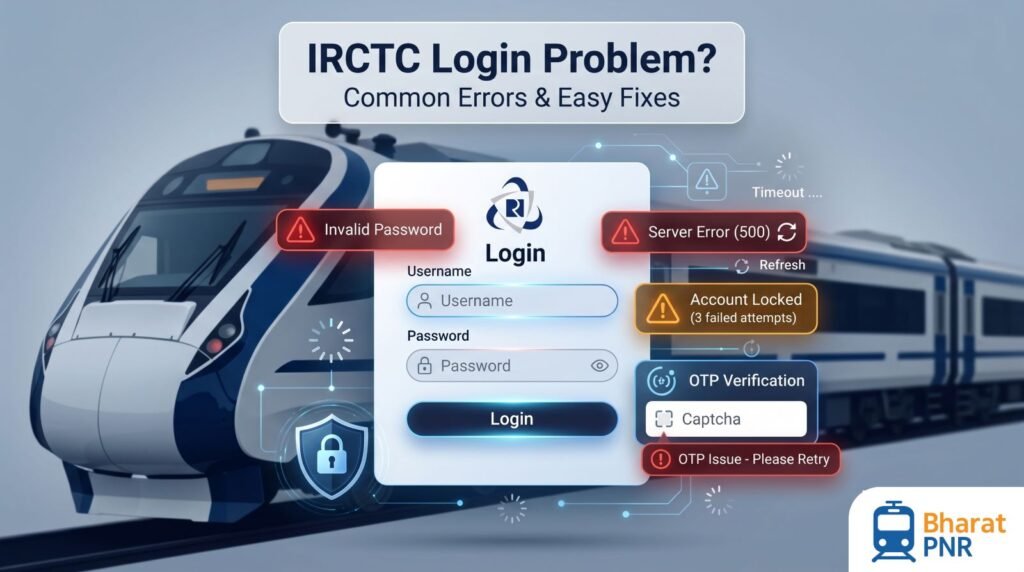
IRCTC Login Problem? Common Errors & Fixes
Facing problems while logging into your IRCTC account? You are not alone. Many railway passengers experience login errors while booking train tickets, especially during Tatkal hours or peak travel seasons.
Sometimes IRCTC shows messages like “Invalid Username or Password”, “Session Expired”, “OTP Not Received”, or “Server Busy”. These issues can be frustrating, particularly when you are trying to book urgent tickets.
The good news is that most IRCTC login problems can be fixed easily. In this guide, we explain the most common IRCTC login errors, why they happen, and step-by-step solutions to fix them quickly.
Why IRCTC Login Problems Happen
IRCTC handles millions of users every day. During busy booking hours, especially Tatkal booking time, the website and app experience heavy traffic.
Common reasons for login issues include:
- Wrong login credentials
- Server overload
- OTP verification problems
- Browser issues
- Session timeout
- Internet connection problems
- Temporary account lock
Most Common IRCTC Login Errors And Their Solutions
1. Invalid Username Or Password
This is one of the most common IRCTC login errors.
Usually this happens because:
- Password entered incorrectly
- Caps Lock is ON
- Extra spaces in username
- Old password being used
How To Fix It
- Check your username carefully
- Turn OFF Caps Lock
- Remove extra spaces
- Reset password using “Forgot Password” option
- Use the latest updated password
2. IRCTC Account Locked
If you enter the wrong password multiple times, IRCTC may temporarily lock your account for security reasons.
How To Fix It
- Wait for 30 minutes
- Use “Forgot Password” option
- Reset your password
- Try logging in again after some time
If the issue continues, contact IRCTC customer support.
3. Session Timeout Error
Sometimes IRCTC automatically logs users out and shows “Session Expired” or “Session Timeout”.
This usually happens because:
- You stayed inactive for too long
- Multiple browser tabs are open
- Server load is high
How To Fix It
- Login again
- Use only one browser tab
- Clear browser cache
- Avoid staying idle for long time
4. OTP Not Received
IRCTC often sends OTP for login verification, password reset, or booking confirmation.
Sometimes users do not receive the OTP on mobile or email.
Possible Reasons
- Network issue
- Wrong registered mobile number
- Spam filtering
- Server delay
How To Fix It
- Wait for 2–5 minutes
- Check SMS spam folder
- Verify your registered mobile number
- Try email OTP option
- Retry after some time
5. Server Busy Or Technical Error
This issue is extremely common during:
- Tatkal booking hours
- Festival seasons
- Peak travel periods
When millions of users access IRCTC simultaneously, servers become overloaded.
How To Fix It
- Wait a few minutes and retry
- Use IRCTC mobile app
- Try during early morning hours
- Use another browser
- Refresh the page carefully
6. Captcha Not Matching
IRCTC uses captcha verification for security.
Users often enter captcha incorrectly because:
- Characters are difficult to read
- Case-sensitive letters are missed
- Typing mistakes happen quickly
How To Fix It
- Enter captcha carefully
- Check uppercase and lowercase letters
- Refresh captcha image if unclear
- Type slowly and accurately
7. User Already Exists Error
This usually happens while creating a new IRCTC account.
The error means:
- Email ID is already registered
- Mobile number already linked
- You already have an IRCTC account
How To Fix It
- Use “Forgot Username” option
- Recover existing account
- Use another email address if creating a new account
8. Unable To Login After Password Reset
Some users still cannot login even after resetting password.
Possible Reasons
- Password not updated properly
- Browser cache issue
- Old password saved in browser
How To Fix It
- Clear browser cache
- Restart browser
- Use Incognito Mode
- Login using the new password carefully
Best Browser For IRCTC Login
Using the right browser improves IRCTC performance.
Recommended browsers:
- Google Chrome
- Mozilla Firefox
- Microsoft Edge
Browser Tips
- Enable cookies
- Clear cache regularly
- Disable unnecessary extensions
- Update browser to latest version
Should You Use IRCTC App Or Website?
Both options work, but many users prefer the IRCTC mobile app during heavy traffic because:
- App sometimes works faster
- OTP verification is smoother
- Booking process is optimized for mobile
However, website may be better for detailed booking management.
How To Prevent Future IRCTC Login Issues
1. Save Login Credentials Securely
Store your username and password safely to avoid repeated login failures.
2. Update Mobile Number And Email
Keep your registered details updated for smooth OTP verification.
3. Avoid Multiple Failed Attempts
Repeated wrong password entries may lock your account.
4. Use Stable Internet Connection
Poor internet can interrupt login and payment sessions.
5. Login Before Tatkal Time
During Tatkal booking, login 10–15 minutes early to avoid server rush.
Alternative Ways To Book Train Tickets
If IRCTC website is not working, you can also book through:
- IRCTC Rail Connect App
- Paytm
- ConfirmTkt
- RailYatri
- Railway reservation counters
Conclusion
IRCTC login problems are common, especially during busy booking hours. Most issues like invalid password, OTP problems, session timeout, or server busy errors can be fixed easily with simple troubleshooting steps.
Keep your login details secure, use updated browsers, and avoid last-minute login attempts during peak hours.
Want to track your train booking updates instantly? Use PNR Status Check for live ticket status updates.
FAQs
Q: Why does IRCTC say invalid credentials?
A: This usually happens because of wrong password, extra spaces, or Caps Lock being ON.
Q: How long does IRCTC account stay locked?
A: Usually around 30 minutes after multiple failed login attempts.
Q: Why am I not receiving OTP from IRCTC?
A: It may happen due to server delays, network issues, or incorrect registered mobile number.
Q: What is the best time to login to IRCTC?
A: Early morning hours usually provide smoother login experience.
Q: Can I use the same IRCTC account on multiple devices?
A: Yes, but simultaneous sessions may sometimes create login issues.
Q: How do I recover my IRCTC username?
A: Use the “Forgot Username” option on the login page.
Q: Why does IRCTC session expire quickly?
A: IRCTC automatically logs users out after inactivity for security reasons.
Q: Is IRCTC account creation free?
A: Yes, creating an IRCTC account is completely free.